The zero-clickfile converter.
Start dragging any file, tap a key, and drop it on the wheel. No apps to open, no menus, and nothing uploaded.
20 free uses · For Apple silicon Macs with macOS 14 or later
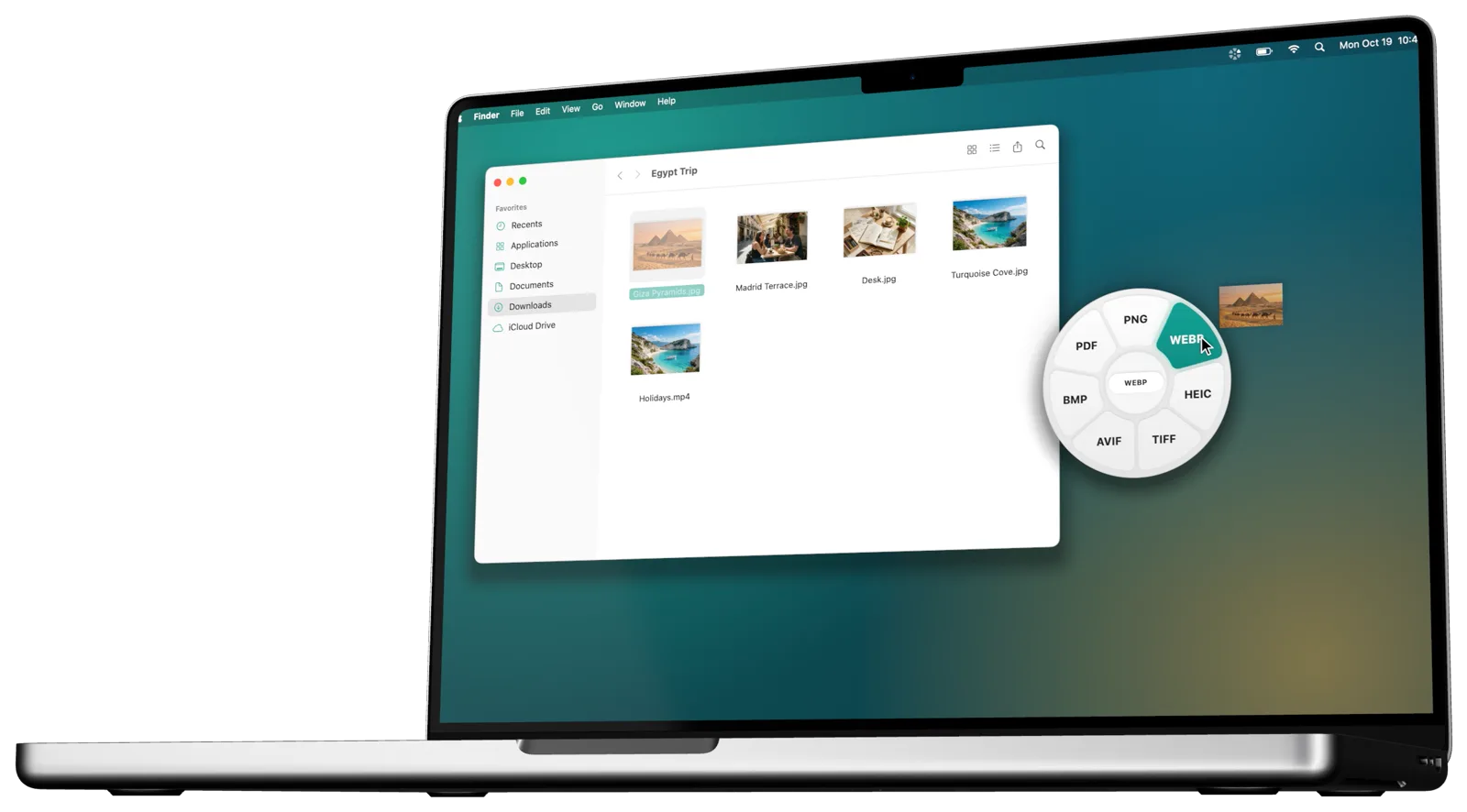
Drag. Tap. Drop.
Kemet lives in your menu bar and shows up exactly when you need it: while you’re dragging a file.
Start dragging
From Finder, the desktop, Mail or any app. One file, several, or a folder.
Tap a key while dragging
⇧ to convert, ⌘ for tools and ⌃ for file actions. You can change the keys in Settings.
Drop on the wheel
The result appears next to the original. Kemet lets you know when it’s done.
Try it: hover the wheel or press ⇧, ⌘ or ⌃ on your keyboard.
Everything you need, one gesture away.
The wheels adapt to the file: Kemet only shows what makes sense for what you’re dragging.
Any format, on the fly.
Images, video, audio, PDFs, documents, spreadsheets, subtitles and archives. Select several files and convert them all at once.
- Images to JPG, PNG, WebP, HEIC, TIFF, AVIF, BMP or PDF
- Video to MP4, MOV, MKV, WebM, AVI, WMV, GIF or MP3
- PDF to Word, text, Markdown, EPUB or 300-dpi images
JPG → WEBPCompress, trim and merge.
Shrink videos, photos, audio and PDFs with presets or an exact target size. Trim, split and merge clips without opening an editor.
- Compress by preset, percentage or target size
- Trim and split video and audio
- Merge clips, audio tracks and PDFs
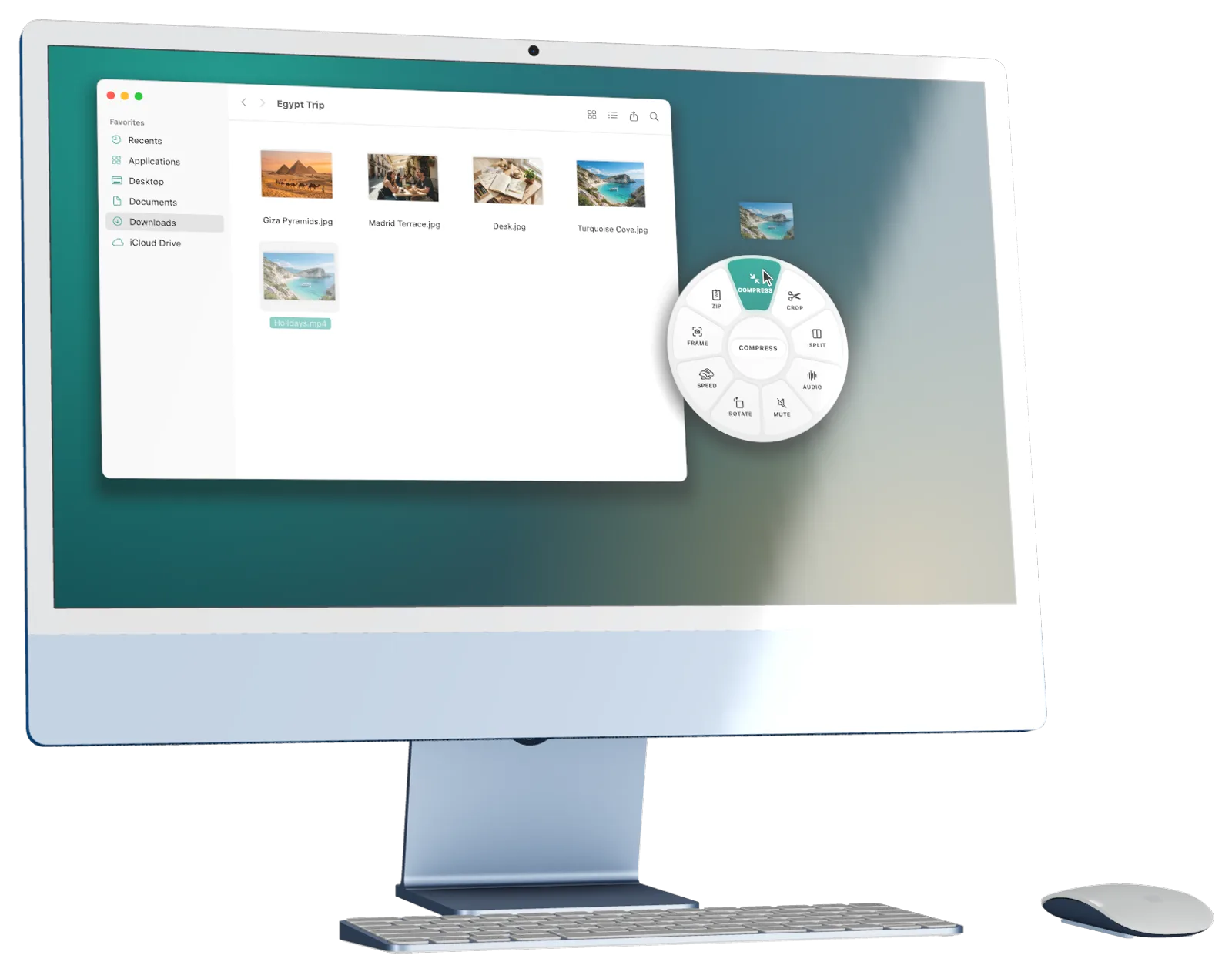 −72 %
−72 %Retouch photos in seconds.
Exposure, contrast, saturation, warmth, highlights, shadows, sharpness, vignette and effects, with an instant preview. Annotate with arrows, shapes, text and numbers too.
- Adjustments with a live preview
- Annotations and numbered callouts
- Color, gradient or image backgrounds
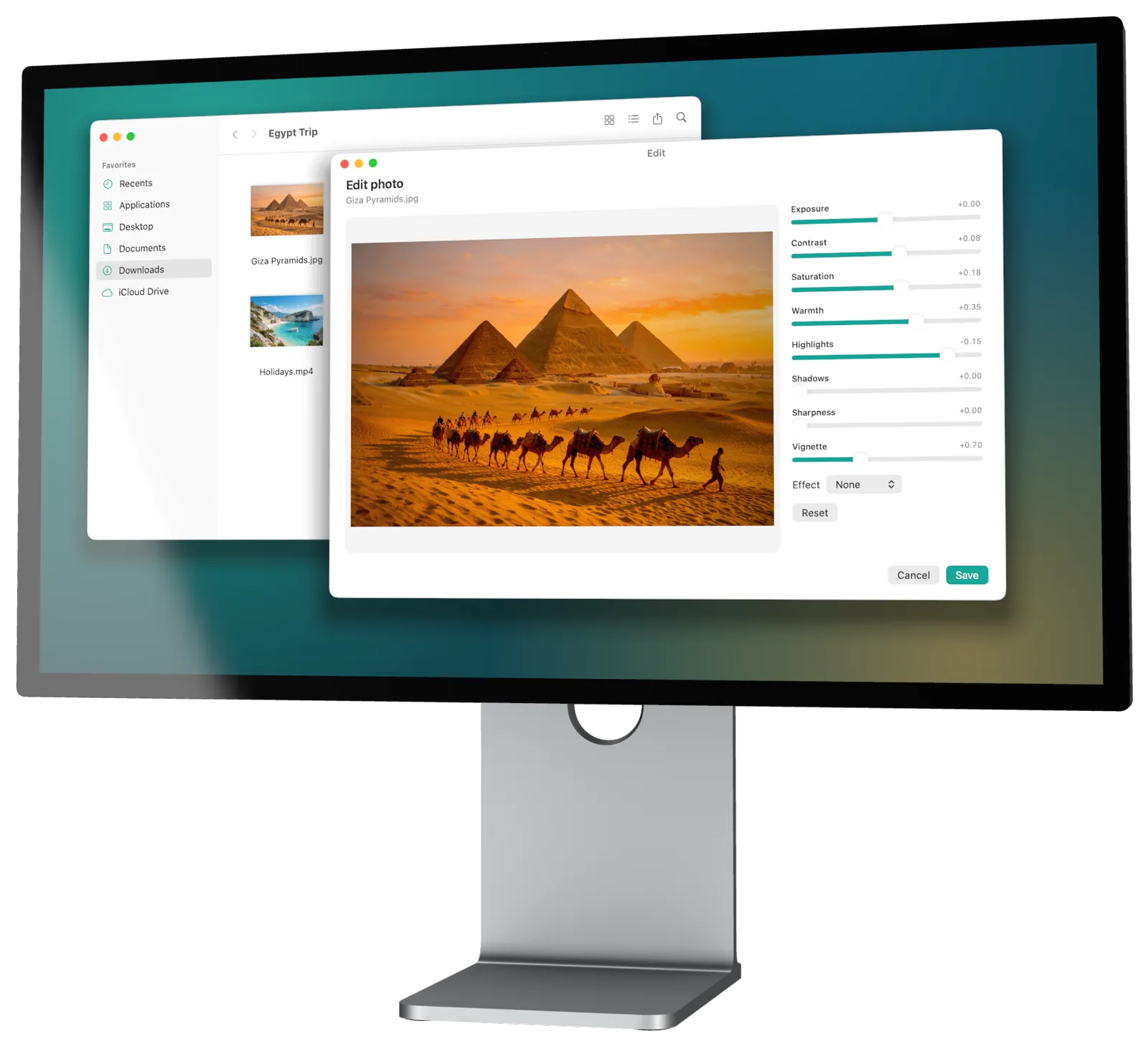 Warmth +35
Protect what’s private before you share.
Kemet detects faces and text on your Mac and covers them with blur, pixelation or a solid color. It also strips location and metadata from your photos.
- On-device face and text detection
- Blur, pixelate or solid color
- Remove GPS, camera and date
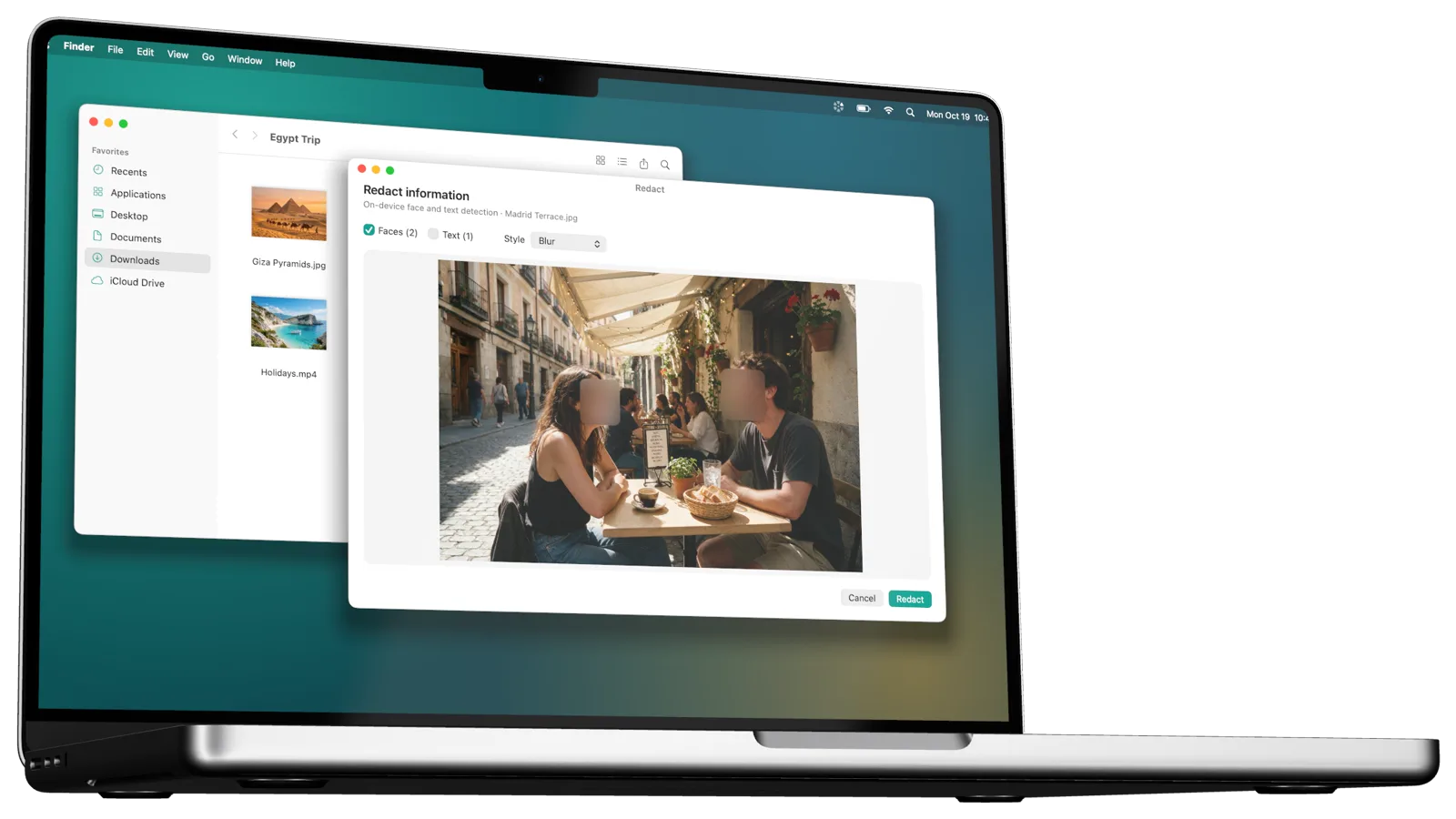 2 faces hidden
Move files without switching windows.
AirDrop, a floating shelf to keep files at hand, copy, move, copy path and open in Terminal. They work with any file or folder and are always free.
- Floating shelf pinned to the screen edge
- Copy full paths of one or many files
- Open the folder in Terminal or iTerm2
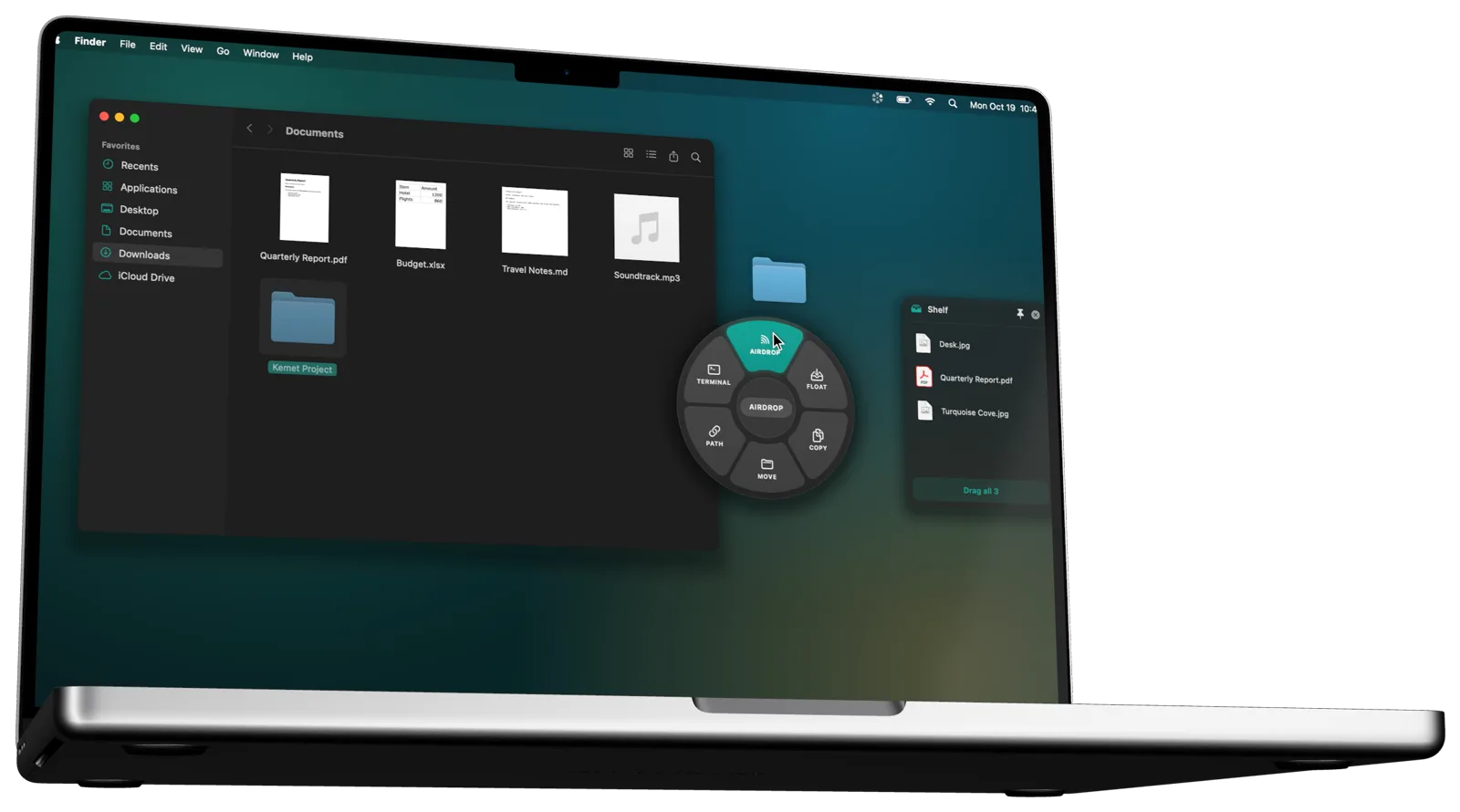 AirDrop
Right next to the original.
Kemet saves every new file next to the original with a clear name and never overwrites anything. A subtle notice tells you when it’s done.
- Never overwrites your files
- Saves next to the original or to a folder you choose
- Works with multi-file selections
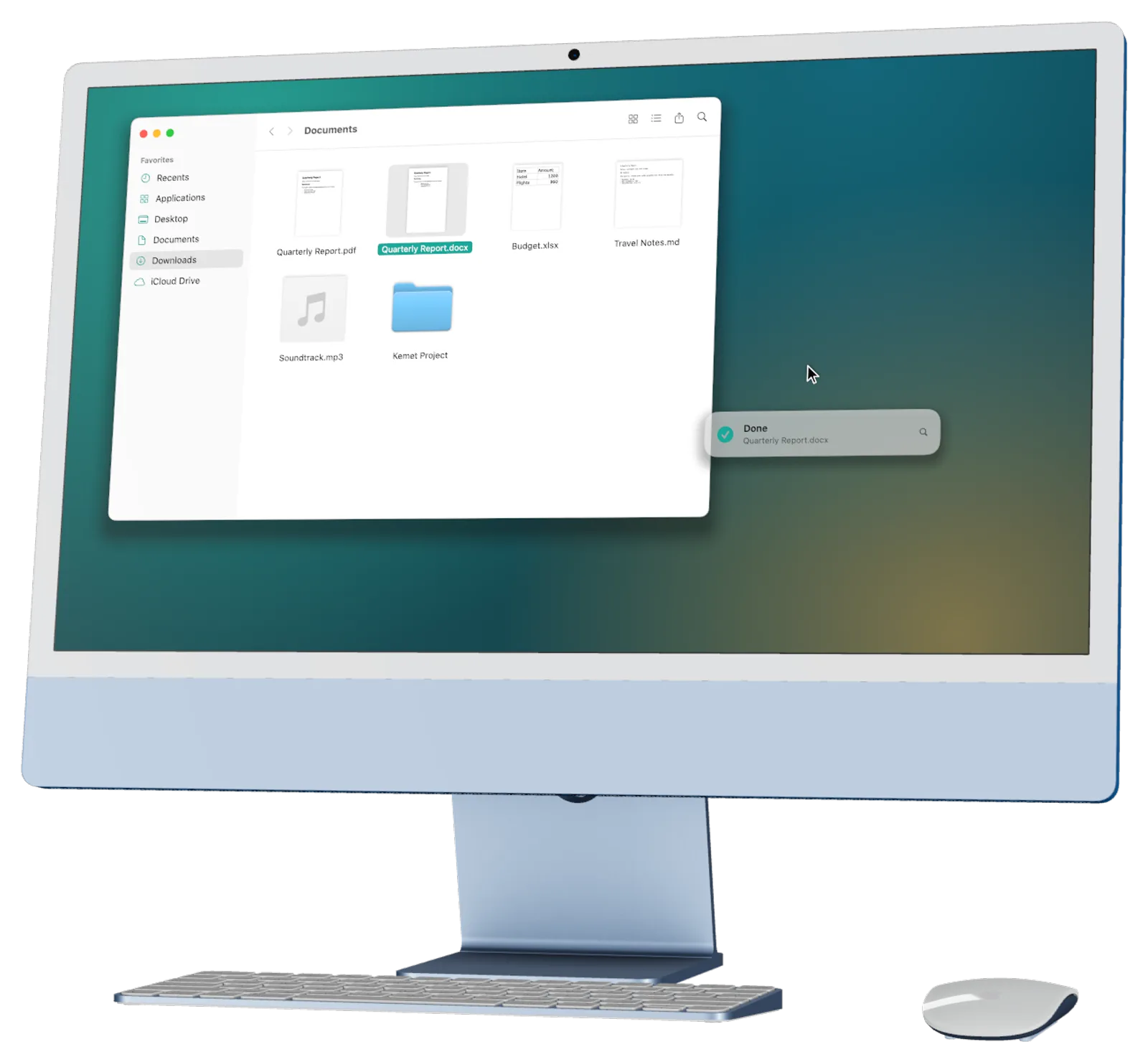 PDF → DOCX
More than 50 formats.
Everything is converted on your Mac with macOS’s own engines and a built-in media engine.
🖼Images
Input also includes SVG, GIF, PSD and more.
🎬Video
Plus compression, trimming, speed and frames.
🎵Audio
Plus normalize, fades and compression.
All pages; images at 300 dpi.
📝Documents
Word, OpenDocument, Markdown and more.
📊Spreadsheets
Reads XLSX, ODS, CSV and TSV.
💬Subtitles
Plus syncing earlier or later.
🗜Archives
Also extracts RAR, 7z, XZ and BZ2.
A whole toolbox.
Everything stays on your Mac.
Online converters make you upload a copy of your files. Kemet doesn’t: everything is processed locally and your files never leave your Mac.
- Your files are never uploaded
- No accounts or sign-ups
- No ads or tracking
- Works offline
Try it free. Pay once.
No subscription. If it fits your workflow, unlock it forever on all your Macs.
Free
- 20 conversions or tools
- File actions always free
- Every format and tool
Kemet Pro
- Unlimited conversions and tools
- Forever, on all your Macs
- Family Sharing included
Common questions
Where are converted files saved?
Next to the original by default, with a new name so nothing is overwritten. The first time, macOS asks you to allow your Home folder; if you’d rather not, results go to Downloads. You can pick another folder in Settings.
Does it need an internet connection?
No. Kemet works offline: every conversion and tool runs on your Mac.
Which Mac do I need?
A Mac with Apple silicon (M1 or later) running macOS 14 Sonoma or later.
Can I change the keys?
Yes. In Settings you choose which key opens each wheel (⇧, ⌘, ⌃ or ⌥), or turn one off.
What counts as a use?
Each file you convert or process with a tool. File actions (AirDrop, copy, move…) don’t count. You get 20 free uses; then Kemet Pro unlocks everything with a single €4.99 purchase.
I bought Kemet Pro and switched Macs
Open Kemet → Kemet Pro… and click “Restore Purchase”. The purchase is tied to your Apple ID.
Does Kemet collect any data?
None. No analytics, ads or tracking. You can read the full privacy policy.

Less busywork. More flow.
Get Kemet and convert your next file without leaving what you’re doing.
Coming soon to the Mac App Store